Windows Application

Download HotkeyBridge

Version 1.0.4 — Requires active subscription or 7-day free trial

HotkeyBridge v1.0.4
Released May 2026 · Windows 10/11 · 64-bit
LATEST
Download HotkeyBridge Setup
📁 HotkeyBridge_Setup_v1.0.4.exe 🔒 Digitally signed ⚡ .NET 8 included
TUTORIAL LIBRARY

Get set up in minutes

Short, no-fluff videos covering everything from installation to advanced risk management. Click any card to watch.

Installation
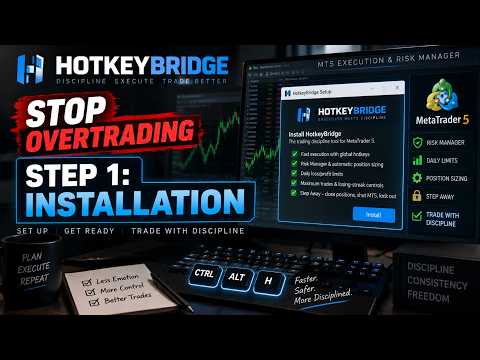
Up and running in 4 steps
01
Download & Install
Run the installer and follow the setup wizard. HotkeyBridge installs automatically to Program Files and adds itself to Windows startup.
✓ EA automatically copied to MT5
02
Login or Activate
Open HotkeyBridge and login with your account email and password. First time? Enter your license key to create your account.
✓ Check your purchase email for key
03
Attach EA to MT5
Open MetaTrader 5, press Ctrl+N to open Navigator, find HotkeyBridgeEA under Expert Advisors and drag it onto any chart.
✓ Enable AutoTrading in MT5 toolbar
04
Start Trading
Click ARMED in HotkeyBridge and press your hotkeys to execute trades instantly. View your stats at hotkeybridge.com/ea-dashboard.html
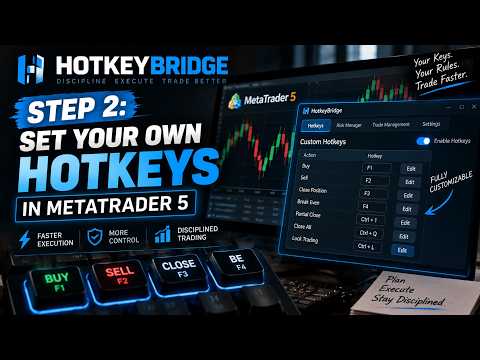
✓ Default: Ctrl+Alt+Q = BUY
System Requirements
Operating System
Windows 10 / 11 (64-bit)
Runtime
.NET 8.0 (included in installer)
Trading Platform
MetaTrader 5 (any broker)
RAM
4GB minimum
Disk Space
50MB
Internet
Required for license validation
Manual EA Installation (if needed)
1
Open MetaTrader 5 and click File → Open Data Folder
2
Navigate to MQL5 → Experts folder
3
Copy HotkeyBridgeEA.ex5 from C:\Program Files\HotkeyBridge\Bridge\ into the Experts folder
4
Restart MetaTrader 5 — the EA will appear in Navigator under Expert Advisors
5
Drag HotkeyBridgeEA onto any chart and enable AutoTrading in the toolbar
Release Notes
v1.0.2 — April 2026
  • Risk lockout now completely unbypassable — blocked at form open, not just form UI
  • RISK button dims when settings are locked to signal locked state at a glance
  • Lock closes Risk Manager form immediately on confirmation
  • RESET TODAY button blocked while settings are locked
v1.0.1 — April 2026
  • Mobile trade sync — dashboard now picks up trades made on MT5 mobile app
  • Daily risk lockout — lock risk settings until midnight to enforce discipline
  • Candle SL buffer — configurable point offset beyond candle high/low for SL placement
  • Settings paths now portable across Windows user accounts
  • Uninstaller now prompts before removing user data
v1.0.0 — March 2026
  • Initial release
  • Global hotkey execution (BUY, SELL, BREAKEVEN, HALF CLOSE, CLOSE SYMBOL, FLATTEN ALL)
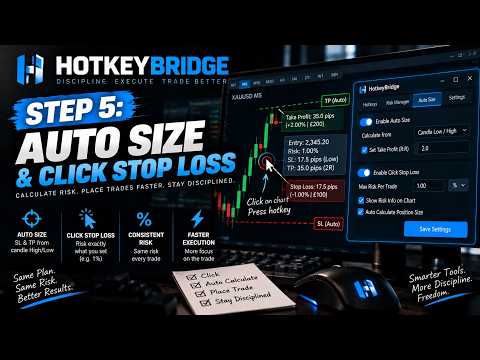
  • Auto position sizing based on risk percentage
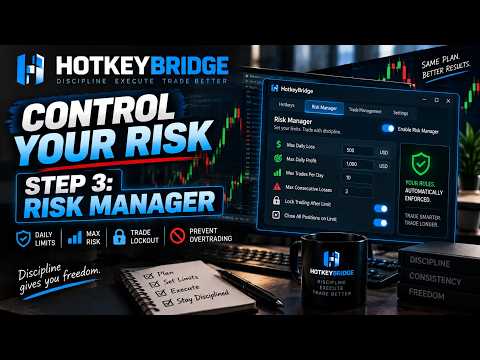
  • Daily risk manager with loss limits and profit targets
  • Statistics dashboard with equity curve and trade calendar
  • Candle countdown timer on MT5 chart
  • Live position P&L display on chart
  • Per-instrument settings with customisable hotkeys
  • MT5 focus safety — hotkeys only fire when MT5 is active
Need help?
Having trouble installing or setting up HotkeyBridge? We're here to help.
support@hotkeybridge.com